

Boken vs Linktree

Linktree is for creators who want one page of links plus tools to sell and grow an audience. Boken is for creators and professionals who want one link that shows what they actually did: the work, their part in it and the proof, readable by people and AI assistants.

Short answer: Pick Linktree to sell and grow an audience from one list of links. Pick Boken to show the work itself: your projects, your part in them and the proof, on a page people and AI assistants can read.

FeatureBokenLinktree
Best forShowing your work and your role in itSending followers to links, selling, growing a list
Free planEvery widget, templates, backgrounds, start from your résumé or a link, share cards for InstagramUnlimited basic links, email and phone sign-ups
Paid plansBoken Plus (on sale soon)Starter, Pro, Premium, plus team and enterprise
ProjectsYour role, what you did, a write-up, images, credits and a link to the workLinks
RésuméExperience, Education, Skills & toolsNot on their pricing page
RecommendationsPeople write them, you approve which showNot on their pricing page
AI assistantsAgent view (boken.to/name.md), structured data, and a check of what AI says about you with a score out of 100AI integrations on Premium
AnalyticsVisits, sources, countries, devices and tapsBasic on Starter; all-time and data export on Premium
Selling and mailing listsLinks to Gumroad and Etsy. No checkout or list collectionDigital products, courses, 0% fee selling and mailing list integrations on Pro
Scheduling, Instagram auto-replies, link rulesNoOn Premium

Linktree details from linktr.ee/s/pricing, checked 21 November 2026.

What is Linktree?

Linktree is a link-in-bio page. You add a list of buttons, and each one opens another place: your shop, your newest video, your newsletter. Linktree says more than 70 million people use it.

The free plan gives you unlimited links and a form to collect emails and phone numbers. Paid plans add custom designs, selling with no Linktree fee, link rules and longer analytics.
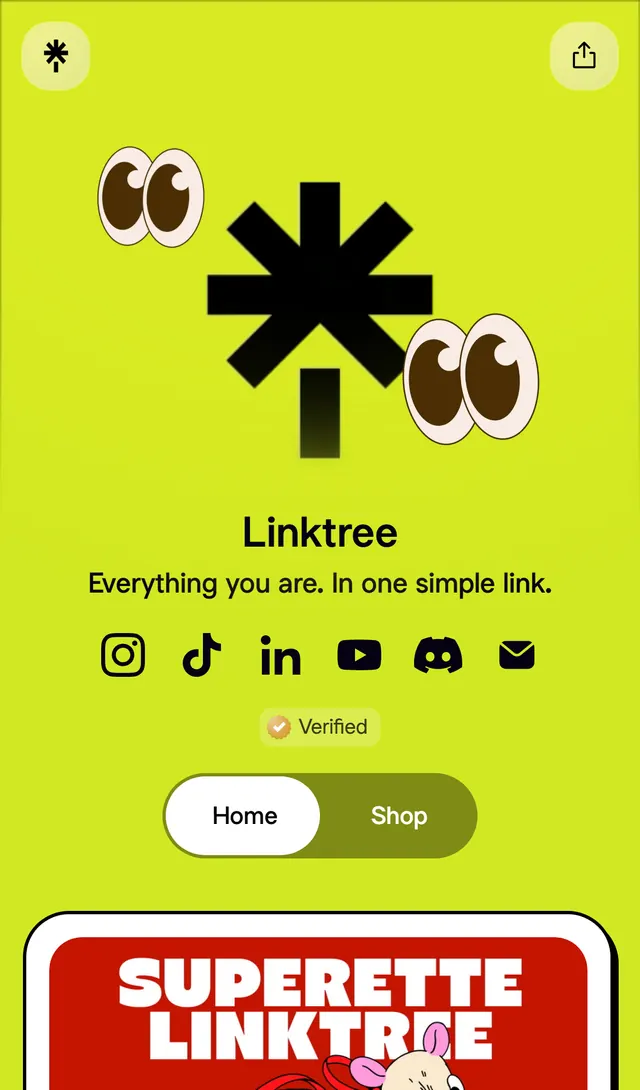
Linktree's own Linktree page
Linktree's own Linktree page · 22 November 2026

What is Boken?

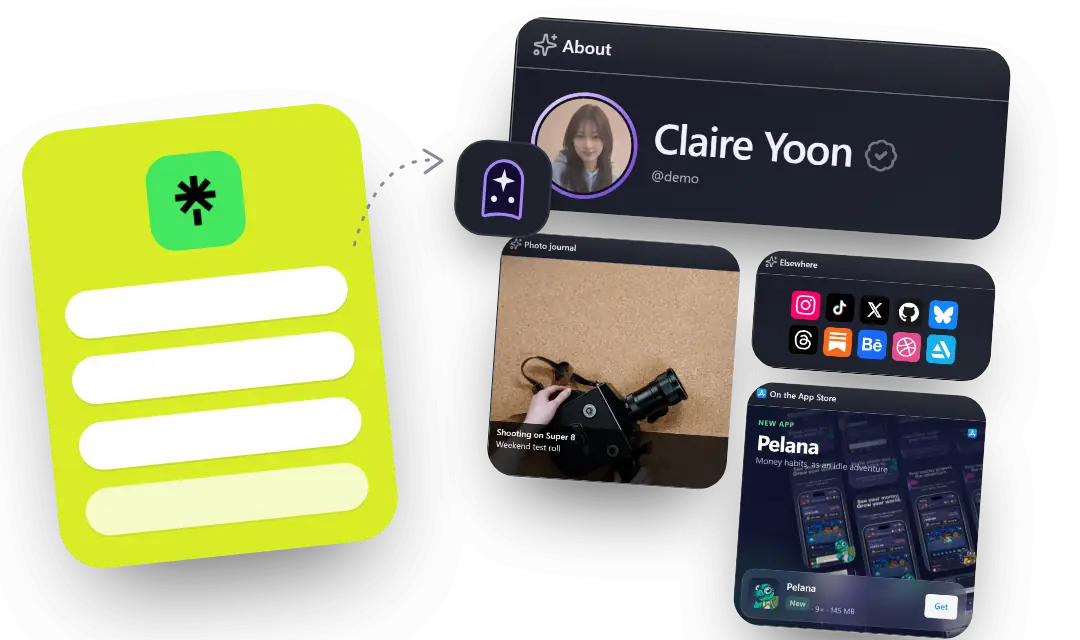
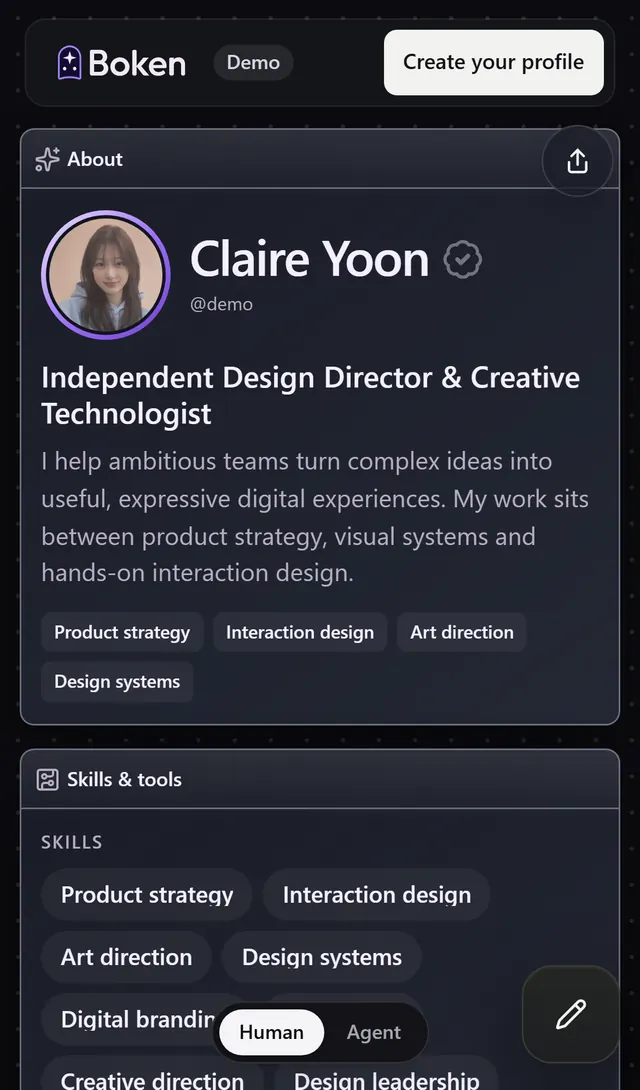
Boken is a profile page for people whose work needs to be seen, not just linked. Instead of a stack of buttons, you build your page from widgets: projects with your role and images, experience, skills, recommendations, music, videos, apps, games and where you are based.

Every Boken page also has an Agent view, a plain-text version that AI assistants like ChatGPT and Claude can read. You can check what those assistants say about you and get a score out of 100.

Projects are the heart of it. Each one can say what the work was, what you did, who you made it with, and link to the finished thing.

A Boken profile (the demo)
A Boken profile (the demo) · 22 November 2026

How the prices compare

Boken's free plan includes every widget, the templates and the backgrounds. A paid plan, Boken Plus, goes on sale soon and adds a weekly check of what AI assistants say about you.

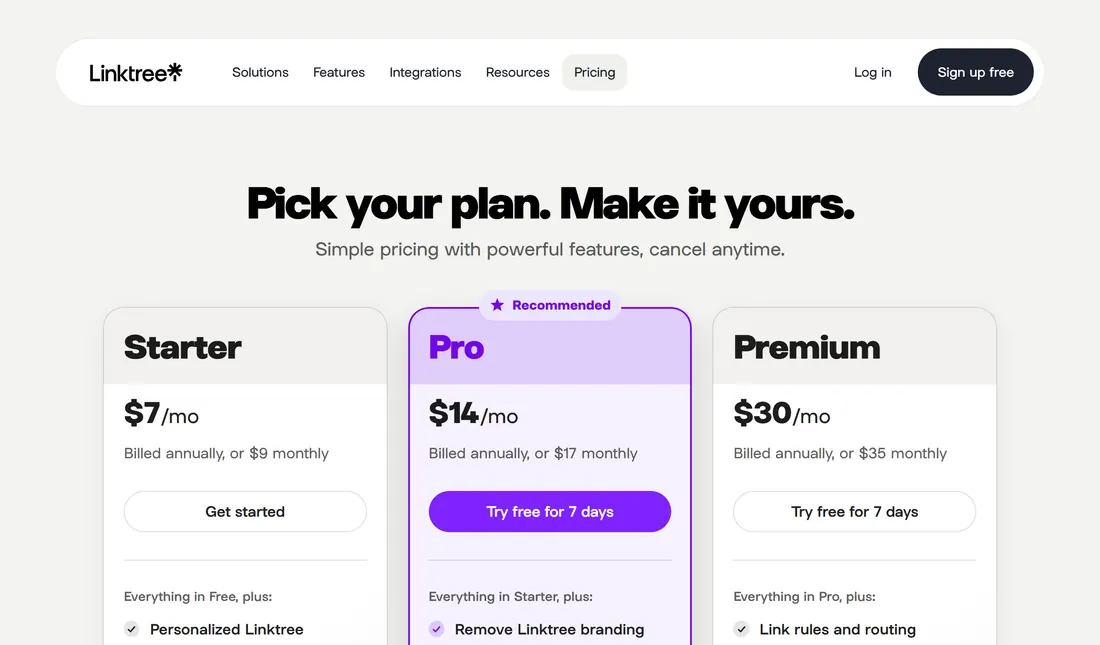
Linktree's plans
Linktree's plans · 22 November 2026

Linktree is free for links and sign-up forms. Its paid plans cost $7, $14 or $30 a month when billed yearly, or $9, $17 or $35 month to month.

The main difference

Linktree sends people somewhere else. Boken shows them the work itself.

If your audience already knows you and only needs a quick way to your shop or latest post, a list of links does the job. If someone is deciding whether to hire you, book you or work with you, they want to see what you made and what your part was. That is what Boken is for.

Can you use both?

Yes. Some people keep Linktree for selling and a mailing list, and use Boken as the page that shows their work. You can add your Boken link as one of your Linktree buttons, or add your Linktree to your Boken profile.

If you would rather have one page, Boken can start from your Linktree. Paste your linktr.ee URL when you sign up and Boken reads your bio and links. You confirm each line before it is saved, and nothing changes on Linktree.

Some things stay on Linktree: products, checkout, sign-up lists, scheduling and its analytics. Boken has no checkout, so if selling on your page matters most, keep Linktree for that part.

Choose Linktree if…

  • You sell digital products or courses and want checkout on the page.
  • You collect emails or phone numbers, or want social scheduling and Instagram auto-replies.
  • You need team plans or a long-established product. Linktree says it has 70M+ users; Boken is in beta.

Choose Boken if…

  • People need to see what you made and what your part was.
  • You want AI assistants to read your work, and to check what they say about you.
  • You want your music, videos, apps, games, tour dates and recommendations on one free page.

Switching from Linktree

Paste your linktr.ee URL when you sign up. Boken brings over your bio and links, you check each one, then add the projects and experience links can't show.

Free AI check →

Questions

Is Boken free?

Yes. The free plan includes the profile page with every widget, templates and backgrounds. Boken Plus adds a weekly check of what ChatGPT, Gemini, Google AI Mode and Copilot say about you, your own questions and longer Insights history, and removes the “Make your own Boken” badge. Plus goes on sale soon.

Can I sell on Boken?

Boken has no checkout. You can add shop links to Gumroad and Etsy, and booking links to Calendly and Cal.com.

Can I move my Linktree to Boken?

Yes. Paste your linktr.ee URL during setup. Boken reads your bio and links, and you confirm each line before it is saved.

What is the Agent view?

A plain-text version of your profile for AI, at boken.to/your-name.md. You can turn off “Discoverable to AI agents” at any time.

Make your Boken free. Bring your Linktree with you.